 QuizbirdBack to the quiz
How to get your eBird life list
It takes about a minute. You need an eBird account with some checklists in it. Use the eBird website (ebird.org) on a computer or in your phone's browser. The eBird phone app can't download the file.
-
Open your life list
Go to ebird.org and sign in. Click My eBird at the top, then click the Species observed number. This opens your World Life List.
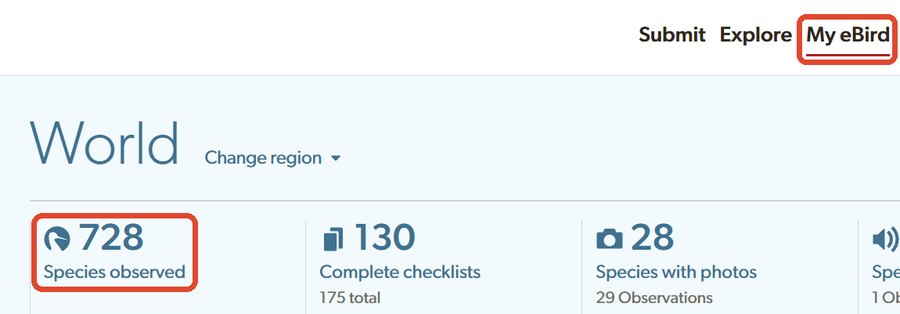
Shortcut: once you are signed in, ebird.org/lifelist goes straight there.
-
Click Download (csv)
It is at the top right of your life list. A small .csv file is saved to your device, usually in your Downloads folder.
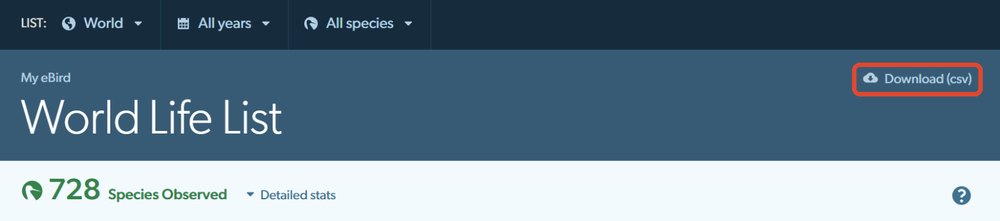
Want a quiz of just one country or one year? Change World or All years in the dark bar first, then download. Your quiz will have only those birds.
-
Give the file to Quizbird
Open Quizbird and drag the file onto the Drop your list file here box, or tap the box and pick the file.
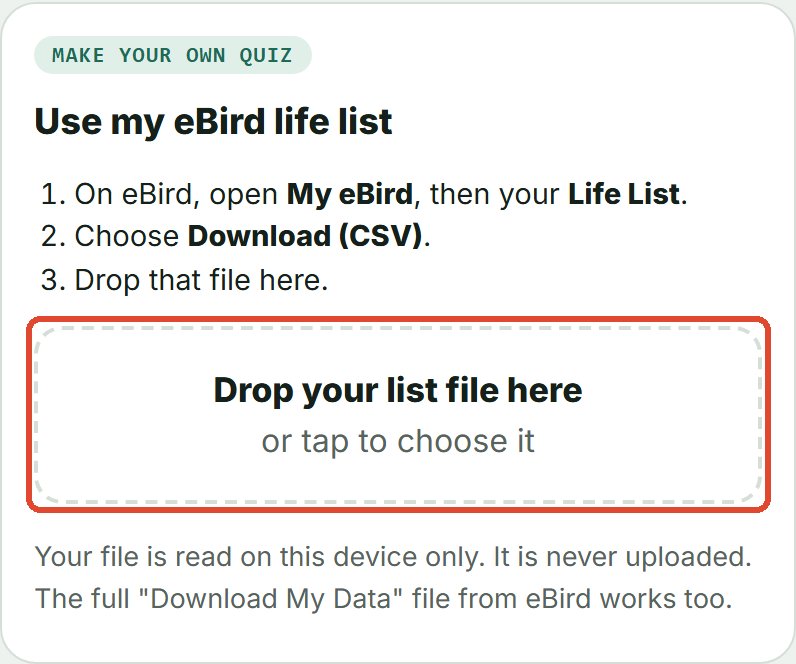
On a phone, the file is in Downloads. On an iPhone, tap Browse, then Downloads. On Android, open the menu and choose Downloads.
-
Play your list
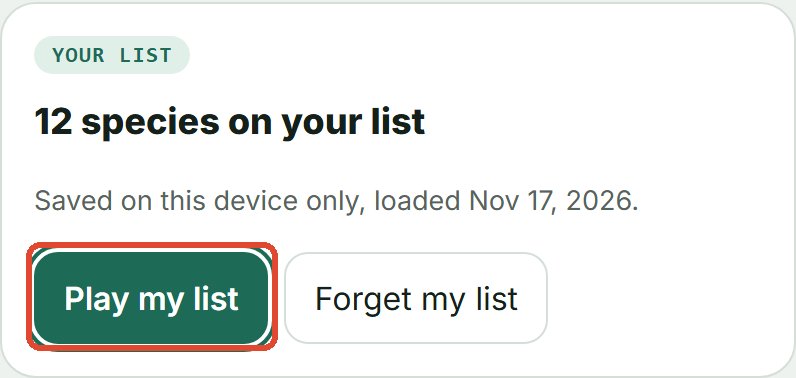
Quizbird shows how many of your birds it found. Tap Play my list. Your list stays on this device, so next time it is already there.
If something goes wrong
- "This does not look like an eBird list": pick the .csv file from step 2, not a different file.
- You used eBird's "Download My Data" instead: that works too, but eBird emails it to you as a .zip. Unzip it first, then give Quizbird the MyEBirdData.csv file inside.
- A few birds were not matched: Quizbird lists them under your list. These are usually very new splits or name changes. The rest of your list still plays.
Your file is read on your own device and is never uploaded. See Privacy. The eBird pictures above were taken in November 2026. eBird may change how its pages look.